
Set your Labor Day hours on Google before people start calling
Google lets you set holiday hours weeks ahead, and it shows a note on your listing when you do. Two minutes now saves the calls on the day asking whether you are open.
Labor Day is the first holiday of the autumn run, and it is the one most small businesses forget until the Friday before.
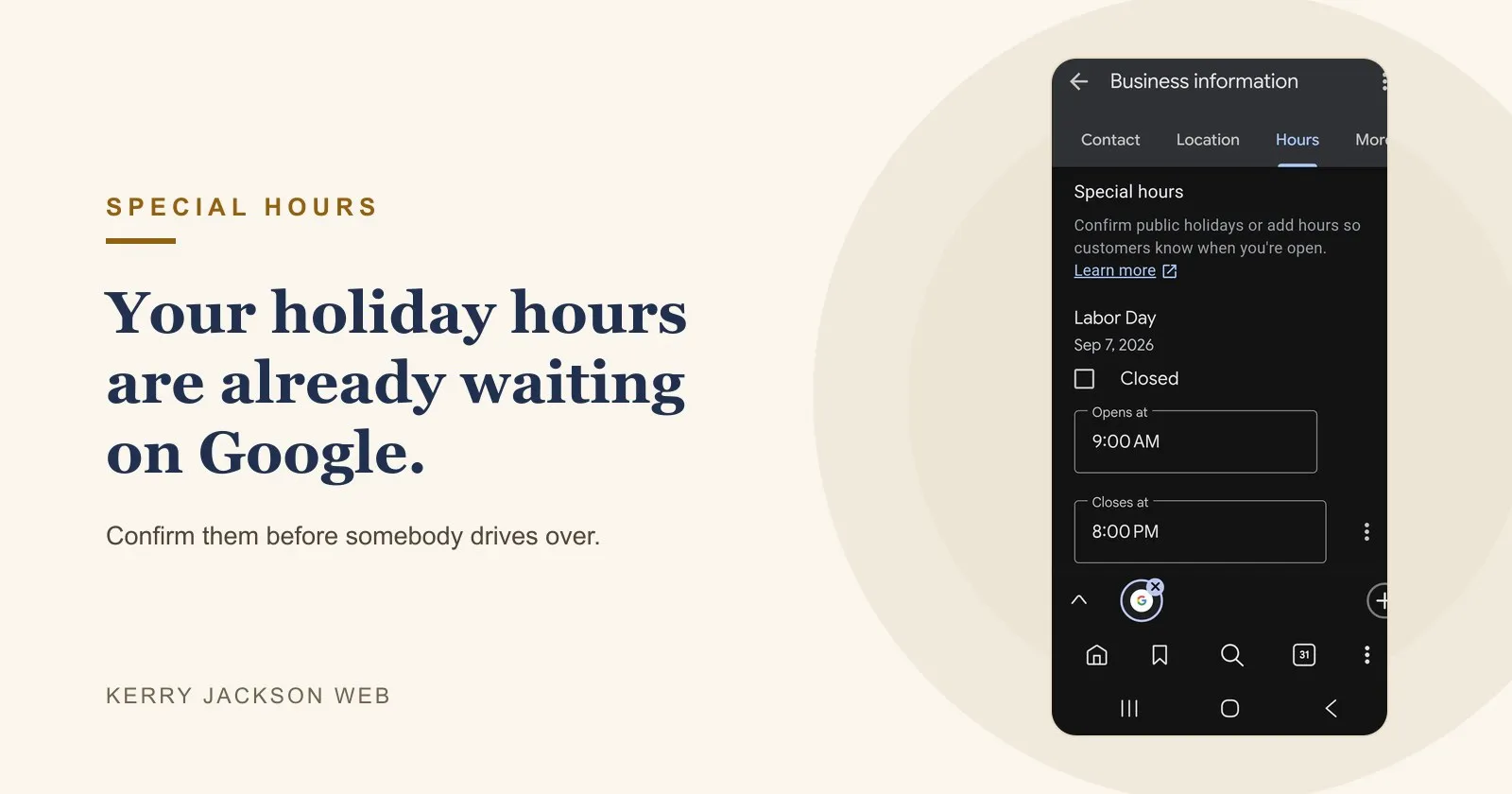
Google already knows it is coming. Open your listing and it lists the upcoming public holidays for you, with Labor Day sitting there waiting on an answer. You either tick Closed or set the opening and closing times, and your listing shows the right thing on the day instead of leaving people to guess. It goes back to your normal hours by itself afterwards.
Where the setting lives now
If you went looking for the Google Business Profile app and could not find it, you are not imagining things. Google retired it. The app that used to be called Google My Business is gone from the store.
Your listing is fine. Nothing was deleted. The controls moved into ordinary Google search, and you do not need any app to reach them.
Search your own business name on your phone, signed in with the account that owns the listing. Your business comes up with an editing panel attached. From there it is Business information, then Hours, then Special hours.
Do the other two while you are in there
Thanksgiving and Christmas Eve are the ones that cost the most, because people drive over assuming you are open and find the lights off. Set all three now and you are done until spring.
If you cannot get into the panel at all, that usually means the listing is attached to an account nobody at the business controls any more. That is a separate problem, and a slower one, but it is fixable.